Voiced lesson intros
A 70–90 second narrated, animated intro for all 36 lessons, with captions, pause, replay and skip.
Build rockets, master orbits and dock in space. 36 guided lessons turn the physics of spaceflight into experiments your students run themselves.
Students snap together multi-stage rockets from 125 parts with symmetry, undo/redo and explicit staging. Every part has real mass, thrust and drag, so design choices show up in the flight data.
Thrust, drag, gravity and staging are simulated live. Lessons pin the exact readout that matters, outlined and glowing, so students know where to look.
Orbital maps with editable maneuver nodes and projected trajectories make abstract orbital mechanics visible and testable.
Touch down across moons and planets with procedural terrain, landmarks and discovery science, including a Lunar Weighing Station built for the Mass vs Weight lesson.
Lessons run in a chain so each idea builds on the last. Teachers can unlock any lesson, tier or group for a class whenever they like.
F = m × a, center of mass and stability
Momentum, the rocket equation and staging
Drag, Max Q and gravity turns
Orbits, Kepler and gravity
Hohmann transfers, phasing and docking
Observatory Builder and Interplanetary Mail
Students plan a Hohmann transfer: one prograde burn to stretch the orbit into an ellipse, a half-orbit coast, and a second burn to circularize. Then they check the Δv they predicted against the flight.
A 70–90 second narrated, animated intro for all 36 lessons, with captions, pause, replay and skip.
Students commit to a choice or a numeric band before the flight. The sim checks it against the measured result.
The readout an experiment is about is pinned, outlined and spotlighted live on screen.
Scrub any flight with charts, a data table, events and the prediction band to find the evidence.
Unlock lessons; adjust gravity, air density, assistance and time warp; protect it all with a classroom PIN.
Badges are only earned on clean, scored attempts. Over-assisted runs never count.
Standards-referenced attempt rows as CSV, JSON or a printable page.
A classroom setting that keeps everything on the device.
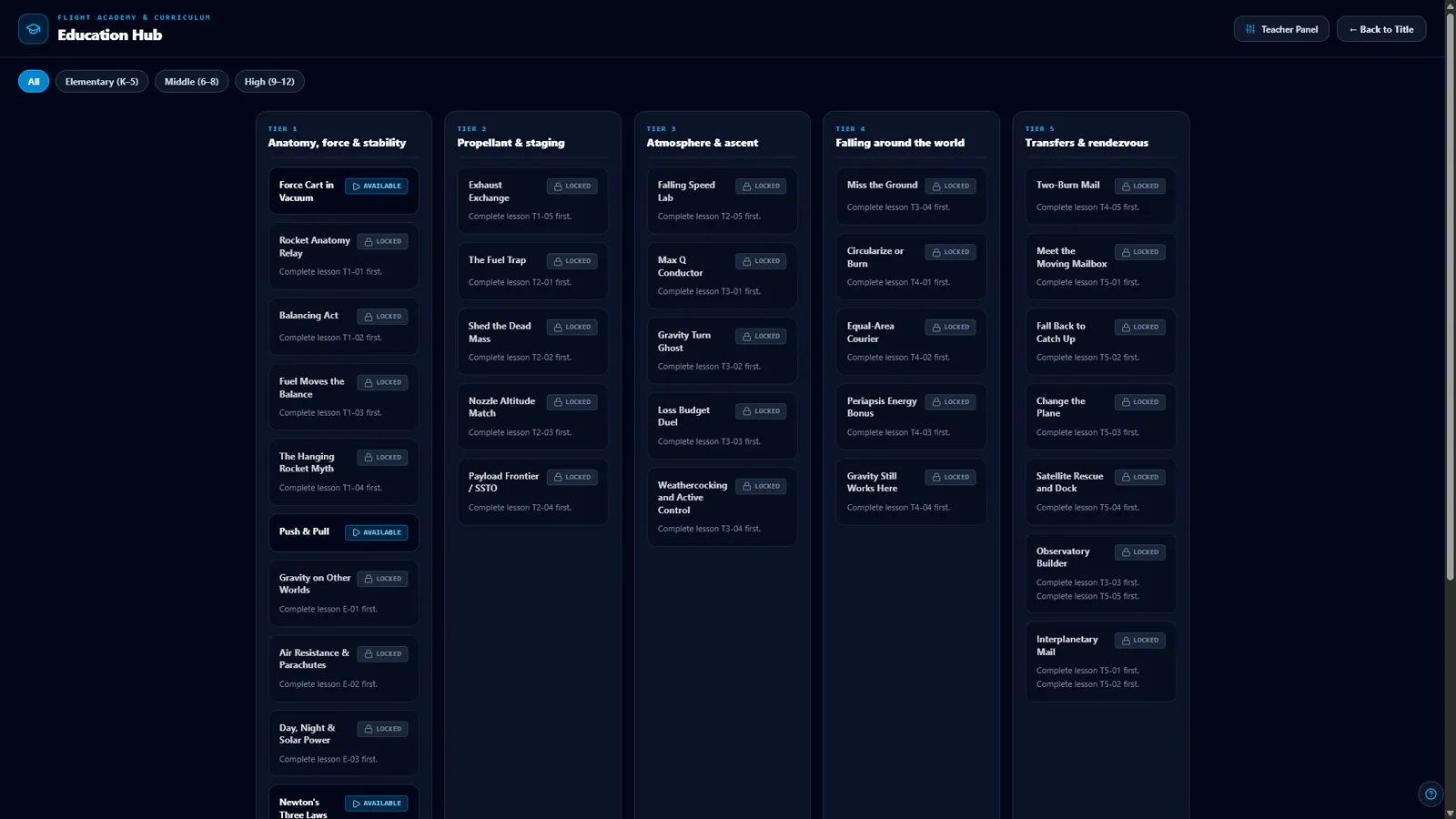
Launchpad opens full-screen with a slim control bar for full screen, mute and reset. Press Flight Academy on the title screen to open the lesson hub.
Bring Launchpad Flight Academy to your classroom. Book a 20-minute demo, or launch the sandbox right now. No signup needed.